

Blog
EPUB explained: the ebook format every author should know

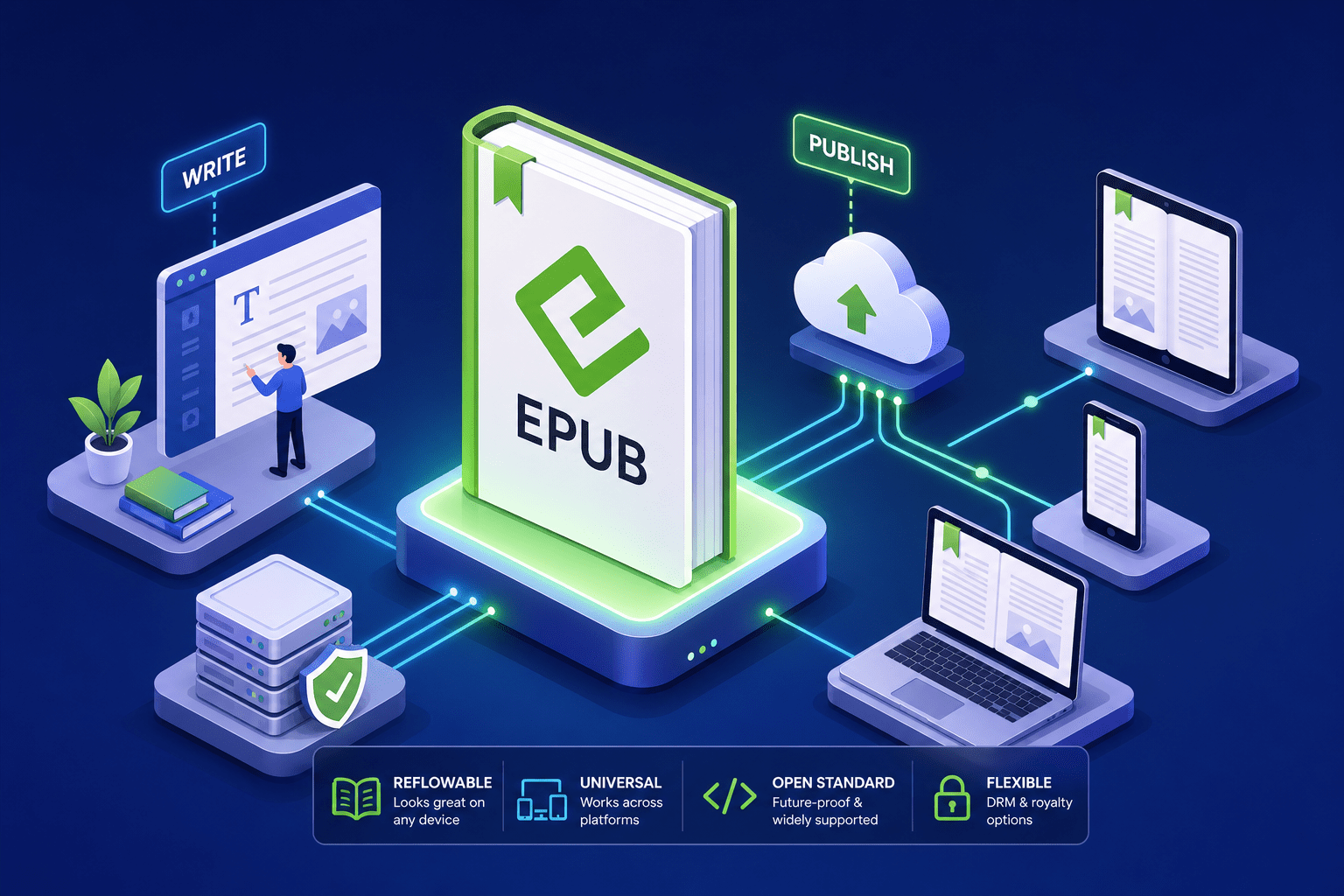
You finish your manuscript, hit upload, then get the dreaded rejection: unsupported file type. The format they wanted? EPUB, short for electronic publication, and the most widely supported e-book standard in digital publishing today.
In this guide, you will learn what an EPUB file actually contains, how it differs from PDFs and proprietary formats, which version to use, how to open one on any device, and how to convert or create these files with the right tools. You will walk away ready to explain the format and make smart choices about your own book.
Authors who work with a full-service team, like the specialists at Bridge Publisher, rarely wrestle with format compliance. Still, understanding this standard gives you a sharper eye over your publishing journey and helps you spot quality problems before your book goes live.
What an EPUB file actually is
At its core, the format is a container, technically a ZIP archive with a specific internal structure that reading apps recognize and render. Think of it as a website compressed into a single portable package: XHTML files for chapters, a CSS stylesheet for typography, images for illustrations, and a packaging file that tells the reader app the book’s metadata and reading order.
Inside a .epub you will find at least these building blocks:
- XHTML content files for your chapters and front/back matter
- CSS stylesheets that control fonts, spacing, and layout rules
- Images and other media assets stored in dedicated folders
- An OPF package file with metadata, a manifest, and spine order
- A navigation document that powers the table of contents
The .epub extension signals that structure. The format is governed by the W3C, which absorbed the original IDPF group that released the specification in 2007. That governance keeps it aligned with web standards, so modern files behave like streamlined, portable websites inside your favorite reading app.
Reflowable text is the defining feature, unlike a printed page, the content adapts to screen size and reader preference. Readers can adjust font size, line spacing, margins, and even switch to dark mode, with the text flowing intelligently around every change. That flexibility is why this became the dominant electronic publication standard for narrative books.
How EPUB compares to PDF and other ebook formats
PDF preserves an exact print layout, which sounds appealing until you try to read it on a phone. A PDF designed for A4 or letter paper forces readers to zoom and scroll on small screens because the text does not reflow. It is excellent for layout precision and forms, but it delivers a poor reading experience for long-form books on mobile devices.
There are still good PDF use cases. Visual manuals, cookbooks with complex tables, and design-critical reports often need fixed pages. For novels, memoirs, business books, and most nonfiction, you are better off with a reflowable format for comfort, accessibility, and reach.
Kindle-only formats like MOBI and AZW3 work inside Amazon’s ecosystem but almost nowhere else. Locking your manuscript into those files cuts off distribution to Apple Books, Kobo, Google Play Books, and library platforms like OverDrive. The right approach is clear: a vendor-independent format travels everywhere, and retailers convert it internally for their devices if needed. EPUB is that format.
EPUB 2 vs EPUB 3: what changed and what it means for your book
EPUB 3 modernized the specification by adopting HTML5 and CSS3, which opened the door to embedded audio and video, richer typography, and interactive elements. It also advanced accessibility with ARIA roles, alt text, landmarks, and robust text-to-speech support. Fixed-layout EPUB 3 is available for children’s books, comics, and highly illustrated titles where page design must stay intact. As of 2026, version 3.3 is the current standard and the preferred choice for modern retailers and accessibility-focused publishers.
For standard novels, memoirs, and business books, version 3 is the clear choice, it does everything its predecessor did, plus more. EPUB 2 still circulates on older platforms, but it lacks native multimedia and comprehensive accessibility support. If you want the broadest compatibility and the best reader experience, publish in the newer standard.
Always validate before you submit to retailers. Run your file through EPUBCheck, a free command-line tool (usage: java -jar epubcheck.jar yourbook.epub), to confirm it meets the specification. Common errors caught during validation include duplicate IDs, missing manifest entries, invalid character encoding, images exceeding recommended dimensions (typically 2500px on the longest side), and fonts that are referenced but not embedded. Catching these issues early saves weeks of back-and-forth fixes with retailer ingestion teams.
Why EPUB is the backbone of ebook distribution
Major platforms either require or strongly prefer this format. Apple Books, Kobo, Google Play Books, Barnes & Noble, Draft2Digital, and Smashwords for aggregation, and library channels like OverDrive all sit in this camp. Submit a non-compliant file to many of these platforms and you can expect an automatic rejection or a conversion step that adds time, cost, and risk to your launch.
Compliance is not just a checkbox; it functions more like a gatekeeper. Even if your file ends in .epub, a poorly structured package with validation errors can be rejected during ingestion. Retailers look for proper metadata, a clean table of contents, embedded fonts with licenses, correctly sized images, and stable navigation. Passing extension-only tests is never enough, structure and semantics both matter.
Many first-time authors finish the manuscript, then lose weeks troubleshooting conversion quirks. Getting it right from the start means attending to metadata completeness, a logical reading order, accurate internal links, and consistent CSS that behaves across different readers. See our best practices for ebook formatting for specifics. Bridge Publisher removes the guesswork by handling end-to-end ebook conversion and preflight checks, delivering structurally sound, metadata-complete, retailer-validated files before a single upload happens.
How to open and read EPUB files on any device
On Windows, free readers like Adobe Digital Editions and Calibre offer dependable reading, library management, and annotations. Sumatra PDF is a lightweight option that opens the format alongside PDFs with minimal setup. On macOS, the built-in Apple Books app handles most files instantly, and Calibre remains a solid all-in-one alternative for power users. Installation for any of these takes minutes.
On iPhone and iPad, Apple Books opens files directly from Mail, Messages, AirDrop, or the Files app. Android users can read with Google Play Books or Adobe Digital Editions, both free on the Play Store. Each app lets you adjust font size, margins, and themes to suit your eyes and environment.
Kindle devices do not natively open .epub files you copy onto them, but you have two easy paths forward. Convert the file to a Kindle format in Calibre and sideload it, or use Amazon’s Send to Kindle service, which now accepts EPUB directly and handles conversion automatically behind the scenes before delivering to your device or app.
For legal sources, start with Project Gutenberg for public-domain classics and the Internet Archive for extensive historical collections. For indie titles, browse retailers like Kobo or aggregators such as Smashwords, and borrow from your public library via OverDrive. Always download from reputable sources to avoid DRM headaches and corrupted files.
Converting and creating EPUB files: tools and when to go pro
Free tools and online converters
For free conversion, Calibre is the workhorse. It converts Word .docx and PDFs to EPUB, edits metadata, and lets you proof the result in a built-in reader. If you need a quick browser-based conversion from EPUB to PDF or EPUB to MOBI, online tools like PDF24, Convertio, and Zamzar handle simple jobs without installation. These are useful for personal use and testing, though output quality varies, especially with complex layouts or image-heavy manuscripts.
When DIY conversion falls short
Technically valid files can still look unprofessional if fonts are not embedded correctly, images are misaligned, or the CSS conflicts with popular reader settings. Retailers can also reject files that pass casual checks but fail strict validation or accessibility requirements. These are not rare edge cases, they trip up a surprising number of self-published authors who assumed that passing the basic validator was enough. If your goal is retail distribution, professional conversion ensures your file is both compliant and polished before it ever reaches an ingestion queue.
When to hire a pro
Bridge Publisher offers a turnkey conversion service. Send your manuscript in Word, Google Docs, InDesign, or PDF, and we return a fully validated, platform-optimized EPUB 3 file ready for Apple Books, Kobo, Google Play Books, and library channels. It is the difference between a file that merely passes a validator and a book that reads beautifully everywhere.
Conclusion
EPUB is the universal e-book format powering digital publishing across every major platform. Understanding what lives inside one of these files, why the standard outperforms PDFs and proprietary formats for distribution, and how version 3 expands capabilities gives you real control over your publishing outcomes. These are not abstract technical details, they are the decisions that determine whether your book reaches readers cleanly or gets stuck in an ingestion queue.
Whether you are preparing your first manuscript or your tenth, getting this right is one of the most important technical steps in your launch. Preview with a trustworthy reader app, validate every file with EPUBCheck, and choose tools that respect structure and accessibility from day one. If you want a clean, professional, worry-free path to distribution, Bridge Publisher can handle the entire conversion and compliance process while you focus on the story only you can tell.

